JPG to PDF Converter
Combine passport photos, Aadhaar images, and receipts into one PDF.
Drop JPG images here
or
JPG and JPEG images supported
How to use JPG to PDF
- 1Add your JPG imagesDrop them onto the box above or tap Select Images. You can add as many as you need.
- 2Put them in orderDrag any file by its handle to move it. The order in the list is the order of the PDF pages.
- 3Pick a page sizeA4 and Letter fit the image onto a standard sheet. Original keeps each page the same shape as its photo.
- 4Create and downloadPress Create PDF. Your file is ready to download straight away.
Your files are processed over an encrypted connection and deleted automatically within one hour. Nothing is shared with anyone.
JPG to PDF: what to know before you start
Getting the page order right
This is where most time is lost. The list order is exactly the page order, and browsers sort selected files by name rather than by the order you clicked them. Add everything first, then drag rows into position, then convert.
For a document photographed page by page, rename the files with leading numbers before uploading. It takes a minute and removes the problem permanently.
Page size: A4, Letter or Original
A4 or Letter places each photo on a standard sheet - the right choice for anything printed or checked against a paper form.
Original makes each page the exact shape of its photo. This suits screenshots and ID cards, where a standard sheet leaves large white bands above and below.
With mixed portrait and landscape photos, set orientation to auto so each page takes the shape suiting its own image instead of rotating everything to match.
Quality and file size
Images are embedded at high quality by default, with very large photos scaled down slightly so the PDF stays a sensible size. Lower the quality setting if you need a smaller file.
Converting once at the right quality gives a better result than converting at maximum and compressing afterwards - each pass discards detail that cannot be recovered.
Related guides
Frequently asked questions
How do I save a JPG as a PDF?
Upload the JPG, choose the page size (A4 suits most forms) and press Create PDF. The PDF downloads straight away. Add several JPGs to get them as pages of one PDF, which is what most application forms want.
Can I convert several JPG files into one PDF?
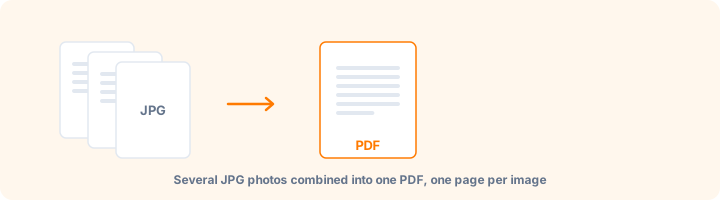
Yes. Add all of them, drag them into the order you want, and they become one PDF with a page per image.
Will the image quality drop?
Images are embedded at high quality by default. If you need a smaller file, open Advanced options and lower the Quality setting.
How do I change the page order?
Grab the handle on the left of any row in the file list and drag it up or down.
Is this tool free?
Yes. Every tool on WorkSathi is free to use with no sign up, no watermark on your result and no daily limit.
What happens to my files?
Files are uploaded over an encrypted connection, processed, and then deleted automatically within one hour. We never open, share or sell your documents.
Does it work on a phone?
Yes. The tools work in any modern browser on Windows, Mac, Android and iOS - there is nothing to install.
Related PDF tools
Convert PNG images to PDF, with background transparency controls.
Combine JPG, PNG, WebP, HEIC, GIF, and TIFF images in one PDF.
Turn mobile gallery photos into a single PDF document.
Export PDF pages as high-resolution JPG images.