Compress Image to 20KB - Photo and Signature Under 20 KB
Bring a photo or signature down to 20 KB or less, the limit most forms set for signatures.
Choose your form's requirement
The image keeps its shape. It is made smaller only if that is needed to reach the size limit.
Drop your image here
JPG, PNG, WebP or HEIC. It stays on your device - nothing is uploaded.
How to use Compress Image to 20KB
- 1Pick 10-20 KB or Under 20 KBSignature uploads usually say "10 KB to 20 KB". If yours gives only a maximum, choose Under 20 KB.
- 2Add the imageA signature on white paper, photographed or scanned, or a small photo.
- 3Crop tightlyFor a signature, keep a little white space around the ink and cut the rest - empty paper still costs KB.
- 4Download the JPGThe result shows the exact size, so you know it will pass before you upload.
Your files are processed over an encrypted connection and deleted automatically within one hour. Nothing is shared with anyone.
Compress Image to 20KB: what to know before you start
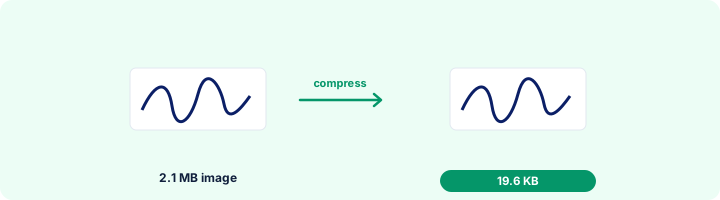
Getting a signature to 20 KB
Sign with a black or dark blue pen on plain white paper, photograph it in daylight without shadow, and crop close to the ink. A clean signature at 140 x 60 pixels is usually 4-8 KB, which is why forms set a minimum - the tool takes care of both ends.
Frequently asked questions
How can I compress a photo to 20 KB without losing quality?
Crop away everything the form does not need first, then let the tool pick the quality. At 20 KB a signature stays perfectly sharp; a face photo stays clear at small sizes such as 200 x 230 pixels.
My signature is only 6 KB. How do I make it 10 KB?
Keep the minimum at 10 KB. The tool saves at higher quality first, and if the file is still small it fills it up to the minimum without changing the picture.
Can I do this on my phone?
Yes. Open the page in Chrome or Safari, tap Select image and choose the photo or take one with the camera.
Is this tool free?
Yes. Every tool on WorkSathi is free to use with no sign up, no watermark on your result and no daily limit.
What happens to my files?
Files are uploaded over an encrypted connection, processed, and then deleted automatically within one hour. We never open, share or sell your documents.
Does it work on a phone?
Yes. The tools work in any modern browser on Windows, Mac, Android and iOS - there is nothing to install.
Related PDF tools
Crop and resize your signature to the pixels and KB your form asks for: 140 x 60 px, 6 x 2 cm, 10-20 KB.
Get a passport-style photo between 20 and 50 KB - the range most exam and job forms ask for.
When the form says "minimum 20 KB" and your photo is smaller, raise the file size without changing the picture.
Set the minimum and maximum KB your form allows and get a photo that fits - 20 KB, 50 KB, 100 KB or any number.