PDF Page Size Converter
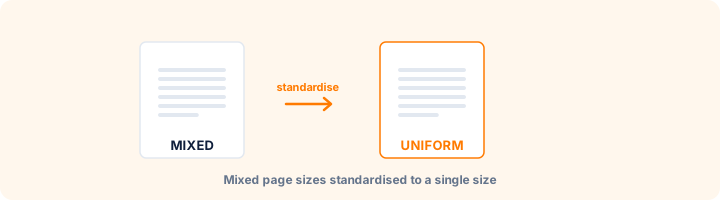
Check mixed page dimensions inside PDF and convert all pages to one uniform size.
Drop your PDF here
or
PDF files up to 100 MB
How to use PDF Page Size Converter
- 1Upload your PDFThe file is analysed as soon as it uploads - nothing is changed yet.
- 2Read the size reportYou see the page count and a breakdown such as "A4 - 12 pages, Letter - 4 pages, A5 - 2 pages".
- 3Pick one size for everythingChoose the size every page should become.
- 4ConvertThe whole document comes back consistent and ready to print.
Your files are processed over an encrypted connection and deleted automatically within one hour. Nothing is shared with anyone.
PDF Page Size Converter: what to know before you start
Find out what you actually have first
Upload the file and the report above lists every page size present and how many pages use each - for example "A4 Portrait 12 pages, Letter Portrait 4 pages, A5 Landscape 2 pages". Most people are surprised by this the first time they run it on a document assembled from multiple sources.
That breakdown tells you whether you have a problem at all. A document that is uniformly A4 needs nothing done to it.
Standardising the whole document
Conversion applies one size to every page, which is what printers and binderies expect. Orientation set to auto keeps each page in its own portrait or landscape shape on the new paper size, so a landscape drawing inside a portrait report is not rotated against its content.
Six standard sizes are available - A3, A4, A5, Letter, Legal and Tabloid - covering essentially every office and print requirement.
Converting only part of a document
This tool deliberately converts everything, because a partially standardised document reintroduces the problem it was meant to solve. If you genuinely need only some pages at a different size, extract those pages first, convert them separately, and merge afterwards.
Frequently asked questions
How do I know what size my pages are?
Upload the file and the report appears above the options, listing each size found and how many pages use it.
Why does a mixed-size PDF cause problems?
Printers and binding services usually expect one size. Mixed sizes lead to unexpected scaling, wrong margins and jammed trays.
Can I convert only some pages?
This tool converts the whole document so the result is consistent. To work on specific pages, extract them first with Extract PDF Pages.
Is this tool free?
Yes. Every tool on WorkSathi is free to use with no sign up, no watermark on your result and no daily limit.
What happens to my files?
Files are uploaded over an encrypted connection, processed, and then deleted automatically within one hour. We never open, share or sell your documents.
Does it work on a phone?
Yes. The tools work in any modern browser on Windows, Mac, Android and iOS - there is nothing to install.
Related PDF tools
Convert US Letter or Legal PDF pages into standard A4 print format.
Resize PDF page dimensions to A3, A4, A5, Letter, Legal or custom mm.
Pull the pages you need into a brand new PDF.
Fix sideways and upside-down pages in a few clicks.