Compress PDF to 1MB
Get a heavy PDF under 1 MB while keeping high document clarity.
Drop your PDF here
or
PDF files up to 100 MB
How to use Compress PDF to 1MB
- 1Upload the large PDFThis target suits long multi-page documents - university submissions, visa packs, tender responses.
- 2Confirm the 1 MB targetA generous budget: most documents reach it with barely visible loss, so photographs and diagrams stay usable.
- 3CompressThe compressor stops as soon as it is under the limit rather than shrinking as far as it can, which preserves quality.
- 4Need something else?Choose Custom above to type any target in KB, from 10 KB upwards.
Your files are processed over an encrypted connection and deleted automatically within one hour. Nothing is shared with anyone.
Compress PDF to 1MB: what to know before you start
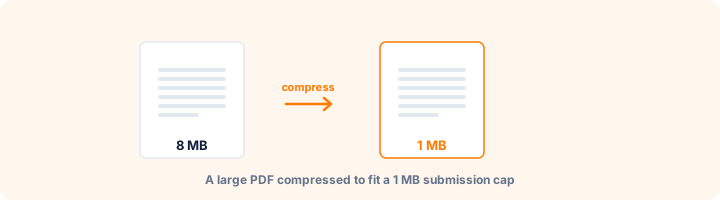
A ceiling rather than a squeeze
One megabyte is the common cap on university submissions, visa application packs, tender responses and government forms that accept longer documents. For most files it is generous: compression stops as soon as the document fits, so a report that only just exceeded the limit is barely touched.
This makes 1 MB the safest target when the portal allows it. You get under the cap while keeping the most quality of any of the preset sizes.
Long documents behave differently
The budget is shared across every page. A 5-page document at 1 MB has 200 KB per page to work with; an 80-page document has around 12 KB. That is why page count matters more than total size when predicting how a file will look afterwards.
For a long scanned document, grayscale is usually the better first move than pushing resolution down. It reduces every page proportionally without softening the text.
Need a different number?
Choose Custom above and type any target in KB from 10 upwards. The same ladder applies - lossless first, image detail only as far as required - so a custom 750 KB behaves exactly like the presets.
Frequently asked questions
Which forms need a 1 MB PDF?
It is a very common cap on government forms, job applications, college admissions and scholarship portals.
My file is already under 1 MB - what happens?
We never hand back a file larger than the one you uploaded. If it is already small enough you simply get the original size back.
Can I set my own target?
Yes. Choose Custom and type any size in KB, from 10 KB upwards.
Is this tool free?
Yes. Every tool on WorkSathi is free to use with no sign up, no watermark on your result and no daily limit.
What happens to my files?
Files are uploaded over an encrypted connection, processed, and then deleted automatically within one hour. We never open, share or sell your documents.
Does it work on a phone?
Yes. The tools work in any modern browser on Windows, Mac, Android and iOS - there is nothing to install.
Related PDF tools
Bring a large PDF under 500 KB for scholarship and email attachments.
Reduce a PDF to 200 KB or less for online job applications and forms.
Shrink a PDF down to 100 KB or less for passport, SSC & exam portal uploads.
Convert US Letter or Legal PDF pages into standard A4 print format.