Signature Resize - Signature to 20 KB, 140 x 60 px for Online Forms
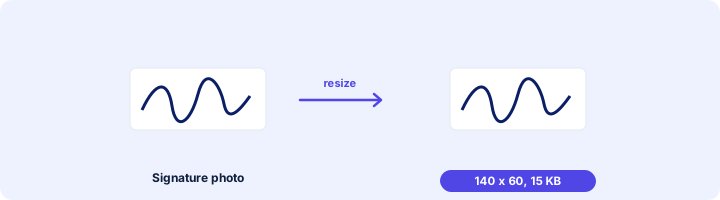
Crop and resize your signature to the pixels and KB your form asks for: 140 x 60 px, 6 x 2 cm, 10-20 KB.
Choose your form's requirement
Output: 140 x 60 pixels. Requirements change between notifications - match the numbers in yours.
Drop your signature here
JPG, PNG, WebP or HEIC. It stays on your device - nothing is uploaded.
How to use Signature Resize
- 1Sign on plain white paperUse a black or dark blue pen and sign a little larger than usual. Photograph it in daylight, straight from above.
- 2Pick your formBank, SSC, NEET/JEE or UPSC, or type the pixels and KB yourself.
- 3Crop around the inkThe box has the shape the form needs. Leave a small white margin around the signature.
- 4Create and downloadYou get a JPG at the right size and inside the KB range.
Your files are processed over an encrypted connection and deleted automatically within one hour. Nothing is shared with anyone.
Signature Resize: what to know before you start
Signature mistakes that get forms rejected
Signing in capital letters (many exams do not accept it), a signature that does not match the one you will sign at the exam centre, a photo with shadows across the paper, and a file outside the KB range. Sign the way you always do, and fix the size here.
Frequently asked questions
How do I resize my signature to 20 KB?
Choose a preset with a 10-20 KB range, add the photo of your signature, crop around it and press Create signature.
What size is a signature for bank exams?
IBPS and most bank recruitment use 140 x 60 pixels and 10-20 KB. Check the notification for the exam you are applying to.
My signature looks grey and faint.
That is the lighting. Retake the photo next to a window with the paper flat, or press harder with a darker pen. Cropping close also helps contrast.
Can I sign on the phone screen instead?
Forms ask for a signature on paper, so photograph a real one. For signing a PDF document, use Sign PDF instead.
Is this tool free?
Yes. Every tool on WorkSathi is free to use with no sign up, no watermark on your result and no daily limit.
What happens to my files?
Files are uploaded over an encrypted connection, processed, and then deleted automatically within one hour. We never open, share or sell your documents.
Does it work on a phone?
Yes. The tools work in any modern browser on Windows, Mac, Android and iOS - there is nothing to install.
Related PDF tools
Get a passport-style photo between 20 and 50 KB - the range most exam and job forms ask for.
Print your name and the date the photo was taken under the picture, as SSC and some state forms require.
Put your photo and signature together in a single JPG for forms that take one combined image.
Bring a photo or signature down to 20 KB or less, the limit most forms set for signatures.