PDF Compliance Score - Rate Accessibility, Privacy & Archival Readiness
One score out of 100 across accessibility, privacy, PDF/A archiving and security - with a breakdown of what costs points.
Drop your PDF here
or
PDF files up to 100 MB
How to use PDF Compliance Score
- 1Upload the PDFAny document you publish, archive or share externally.
- 2Run all four auditsAccessibility, privacy, PDF/A and security are checked in one pass.
- 3Read the breakdownSee the overall score, the score per area and every rule that cost points.
- 4Raise the scoreFix the critical failures first - each one caps its area below 70.
Your files are processed over an encrypted connection and deleted automatically within one hour. Nothing is shared with anyone.
PDF Compliance Score: what to know before you start
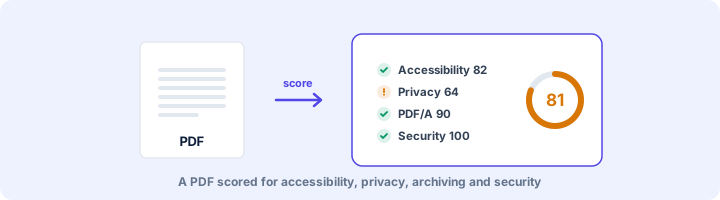
Four areas, one score
A file can be fully accessible and still carry its author's personal email in the metadata. It can be ready for an archive and still be unreadable with a screen reader. The compliance score checks all four areas at once and combines them, so you can compare files and see whether things are improving.
- Accessibility, 40%: tagging, title, language, alt text, headings, tables, fonts, forms and links.
- Privacy, 30%: metadata, earlier versions, comments, hidden text, attachments and personal data.
- Archiving, 15%: PDF/A declaration, embedded fonts, colour profile, encryption and scripts.
- Security, 15%: JavaScript, launch actions, attachments and XFA forms.
Why one serious problem drags a whole area down
Within each area, a single critical failure caps that area at 69. Without the cap, an untagged file that passes every minor rule could score in the 80s. That would be misleading, because someone using a screen reader cannot use that file at all.
Privacy works the same way. If the file still holds a version from before a redaction, tidy metadata does not make up for it.
Our 65-page Word test handbook, for example, scored 77 overall. It got 100 for security and 80 for privacy, which lost points for a phone number in the text and an email address in the author field. Accessibility was capped at 69 because of missing alt text and no title, and archiving at 69 because it was never exported as PDF/A.
Using the score as a team
Pick a minimum for anything that goes on your website or out to clients. 85 is a reasonable bar. Keep the downloaded report as a record. The rules and weights are fixed, so two people checking the same file will always get the same number.
Frequently asked questions
How is the compliance score calculated?
Four areas are scored separately and blended: accessibility 40%, privacy 30%, PDF/A archiving 15% and security 15%. Inside each area, rules are weighted by impact, warnings earn half credit, and a critical failure caps that area below 70.
What is a good score?
85 or more means no critical problems and only minor polish left. 60-84 means real issues worth fixing before publishing. Below 60 usually means the file is untagged, leaks private data or would be rejected by an archive.
Is the score a certification?
No. It is a consistent way to compare documents and track improvement. Formal conformance with WCAG, PDF/UA or PDF/A still needs the relevant validator and, for accessibility, a human review.
Is this tool free?
Yes. Every tool on WorkSathi is free to use with no sign up, no watermark on your result and no daily limit.
What happens to my files?
Files are uploaded over an encrypted connection, processed, and then deleted automatically within one hour. We never open, share or sell your documents.
Does it work on a phone?
Yes. The tools work in any modern browser on Windows, Mac, Android and iOS - there is nothing to install.
Related PDF tools
A full accessibility report for any PDF: tagging, alt text, reading structure, fonts, forms and links, with fixes.
Find what a PDF leaks: author names, old versions, comments, hidden layers, attachments, scripts and personal data.
Pre-flight a PDF for long-term archiving: XMP identification, embedded fonts, output intent, encryption, JavaScript and attachments.
Find failed redactions: text still under black boxes, unapplied redaction marks, hidden text and recoverable earlier versions.