Accessible PDF Checker - Is My PDF Accessible?
A quick yes-or-no answer: is this PDF accessible to screen reader users, and what are the top things to fix?
Drop your PDF here
or
PDF files up to 100 MB
How to use Accessible PDF Checker
- 1Upload the PDFDrop in the file you are about to publish or send.
- 2Get a verdictAccessible, partly accessible or not accessible - with a score out of 100.
- 3Fix the blockers firstThe issues that stop screen reader users completely are listed at the top.
- 4Go deeper if neededFor WCAG or PDF/UA references, use the full WCAG or PDF/UA checker.
Your files are processed over an encrypted connection and deleted automatically within one hour. Nothing is shared with anyone.
Accessible PDF Checker: what to know before you start
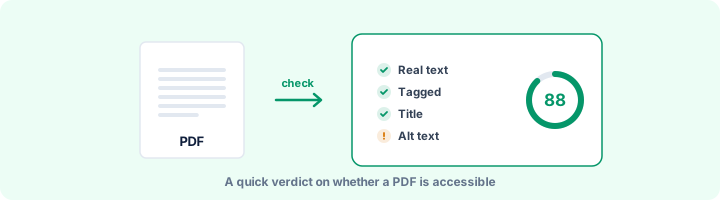
A quick answer when you need one
Not every file needs a full audit. If you are about to post a canteen menu, a circular or a one-page notice, the only question is whether someone using a screen reader can read it. This page answers that in a few seconds, with a score and a short list of what to fix first.
The three questions behind the answer
If the answer to any of these is no, the file is not accessible, however good it looks:
- Is there real text? A scan or a photo of a page is blank to a screen reader. When we ran a scanned page through this check, it scored 19 out of 100 for exactly that reason.
- Is it tagged? Without tags there are no headings, lists or tables, just a stream of words in whatever order the file happens to store them.
- Does it have a title, a language and alt text? They are small details, but they decide whether the file is announced, pronounced and described properly.
When to use the full report instead
If you need WCAG or PDF/UA references for an audit, a tender or a remediation brief, use the WCAG PDF Checker or the PDF/UA Checker. They run the same rules but label each result with its standard and add the checks a person has to do.
Frequently asked questions
How do I know if a PDF is accessible?
The quickest signs are: can you select the text, does the file have a title and language, and is it tagged? If any of those is "no", it is not accessible. This checker tests those and the other automatable rules in a few seconds.
What is the most common accessibility problem in PDFs?
No tags at all, usually because the file was made with "Print to PDF" or scanned. Re-exporting from Word or Google Docs with tagging switched on fixes most of it in one step.
What is the difference between this and the PDF Accessibility Checker?
This page gives a fast verdict and the top issues. The PDF Accessibility Checker gives the full report, including the items a human has to review.
Is this tool free?
Yes. Every tool on WorkSathi is free to use with no sign up, no watermark on your result and no daily limit.
What happens to my files?
Files are uploaded over an encrypted connection, processed, and then deleted automatically within one hour. We never open, share or sell your documents.
Does it work on a phone?
Yes. The tools work in any modern browser on Windows, Mac, Android and iOS - there is nothing to install.
Related PDF tools
A full accessibility report for any PDF: tagging, alt text, reading structure, fonts, forms and links, with fixes.
See which WCAG success criteria your PDF passes or fails - alt text, titles, language, headings, tables, links and forms.
Check a PDF against PDF/UA-1 rules: tags, alt text, language, fonts, Unicode and tab order, mapped to Matterhorn checkpoints.
Check PDFs on your website against WCAG 2.1 AA, the standard the 2024 ADA Title II rule adopted.