Age Calculator - Exact Age in Years, Months and Days
Your exact age on any date - the "age as on" date in an exam notification - with an age-limit check.
21
years
9
months
6
days
21 years, 9 months and 6 days on 7 October 2026
7,949
days old
1,135
weeks old
86
days to next birthday
Born on a Saturday.
How to use Age Calculator
- 1Enter your date of birthAs on your 10th certificate - that is the date exams use.
- 2Enter the "age as on" dateThe notification gives it, for example "Age as on 01.08.2026". Leave today's date to find your current age.
- 3Add the age limitOptional: type the minimum and maximum age to see whether you are inside it.
- 4Read the resultYears, months and days, plus total days and the next birthday.
Your files are processed over an encrypted connection and deleted automatically within one hour. Nothing is shared with anyone.
Age Calculator: what to know before you start
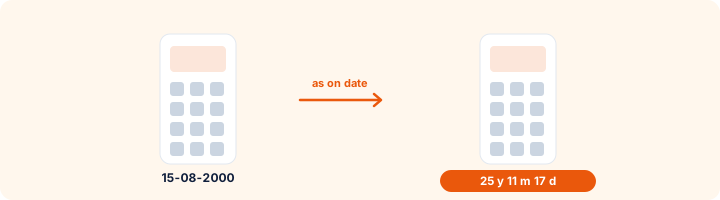
Age relaxation
Upper age limits are raised for reserved categories, ex-servicemen and persons with disabilities. The relaxation is added to the maximum, so a 27-year limit with 3 years of OBC relaxation becomes 30. The calculator checks the general limit; add your relaxation to the maximum you type.
Frequently asked questions
How do I calculate my age for an exam form?
Enter your date of birth and the "age as on" date from the notification. The calculator shows your age on that date in years, months and days, the way the notification counts it.
Am I eligible if my age is 27 years and 2 months and the limit is 27?
Usually not - most notifications mean you must not have crossed 27 on the cut-off date, and they print the exact birth-date range. Check that range, and add any relaxation for your category (often 3 years for OBC and 5 for SC/ST).
Is the age calculated correctly across leap years?
Yes. It counts calendar months and real days, including 29 February.
Is this tool free?
Yes. Every tool on WorkSathi is free to use with no sign up, no watermark on your result and no daily limit.
What happens to my files?
Files are uploaded over an encrypted connection, processed, and then deleted automatically within one hour. We never open, share or sell your documents.
Does it work on a phone?
Yes. The tools work in any modern browser on Windows, Mac, Android and iOS - there is nothing to install.
Related PDF tools
Add your subject marks and get the total and percentage instantly - for 10th, 12th, graduation and admission forms.
Convert CGPA to percentage with the CBSE 9.5 rule or your university's formula, and percentage back to CGPA.
SSC Photo and Signature Resizer
Make your photo and signature fit the SSC form: photo 3.5 x 4.5 cm at 20-50 KB, signature 10-20 KB, with name and date if asked.
Crop and resize your signature to the pixels and KB your form asks for: 140 x 60 px, 6 x 2 cm, 10-20 KB.