Scan Image to PDF
Turn mobile photos of paper documents into clean scanned PDFs.
Drop your document photos here
or
Photos of documents, receipts and forms
How to use Scan Image to PDF
- 1Photograph your documentLay it flat, fill the frame and avoid shadows. Take one photo per page.
- 2Upload the photosAdd them in page order, or drag to rearrange afterwards.
- 3Choose an enhancement modeColour keeps everything as it is. Grayscale is smaller. B&W gives the crisp look of a real scan and the smallest file.
- 4Create the scanned PDFAuto crop trims the background and contrast is lifted so text reads clearly.
Your files are processed over an encrypted connection and deleted automatically within one hour. Nothing is shared with anyone.
Scan Image to PDF: what to know before you start
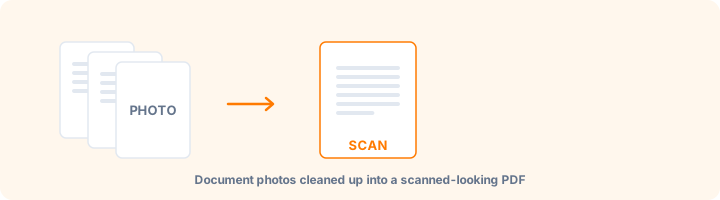
Making a photo look like a scan
A phone photo of a document and a flatbed scan differ in three ways: the photo has the surrounding desk in frame, its lighting is uneven, and its whites are grey rather than white. This tool addresses all three - trimming the background, lifting contrast so text separates cleanly from paper, and normalising the tone.
The result is an image-based PDF that reads like a scan and is accepted by portals that ask for "a scanned copy". It does not perform text recognition: the words remain part of the image and are not searchable.
Choosing a colour mode
Black and white forces every pixel to one extreme. It gives the crispest text and by far the smallest files, and is the right choice for a text-only document going to an upload form.
Grayscale keeps the tonal range and suits documents containing photographs or shaded diagrams. Colour retains everything and is only worth the file size when colour carries meaning - a coloured stamp, a highlighted clause, a colour-coded form.
Photographing well beats fixing afterwards
Auto crop works by trimming an even-toned border, so it performs best when the surface behind the page clearly differs from the paper. A white document on a white table gives it nothing to find.
Lay the page flat, shoot straight down rather than at an angle, fill the frame, and use even light with no shadow across the paper. A photo taken this way needs very little correction; one taken at an angle in poor light cannot be fully rescued by any amount of processing.
Frequently asked questions
What does auto crop do?
It trims plain, even-coloured borders from the edge of the photo - for example a desk showing around a page. It works best when the background is clearly different from the paper.
Which mode should I choose?
B&W for text-only documents you will print or upload to a portal, grayscale for documents with photos, and colour when colour actually matters.
Does this run OCR on my text?
Not by itself - it produces a clean image-based PDF. To make the text searchable and copyable, run the result through OCR PDF afterwards.
Is this tool free?
Yes. Every tool on WorkSathi is free to use with no sign up, no watermark on your result and no daily limit.
What happens to my files?
Files are uploaded over an encrypted connection, processed, and then deleted automatically within one hour. We never open, share or sell your documents.
Does it work on a phone?
Yes. The tools work in any modern browser on Windows, Mac, Android and iOS - there is nothing to install.
Related PDF tools
Turn mobile gallery photos into a single PDF document.
Combine JPG, PNG, WebP, HEIC, GIF, and TIFF images in one PDF.
Convert iPhone HEIC photos to PDF without installing any app.
Bring a large PDF under 500 KB for scholarship and email attachments.