Compare Two PDF Files Side by Side
Compare two versions of a PDF document side by side to spot page and revision changes.
Drop your PDF here
or
PDF files up to 100 MB
How to use Compare PDF Files
- 1Upload Original & Revised PDFSelect Document V1 and Document V2 from your computer.
- 2Compare pagesPress Compare Documents to merge alternating pages for side-by-side review.
- 3Download comparisonReview and verify document edits easily.
Your files are processed over an encrypted connection and deleted automatically within one hour. Nothing is shared with anyone.
Compare PDF Files: what to know before you start
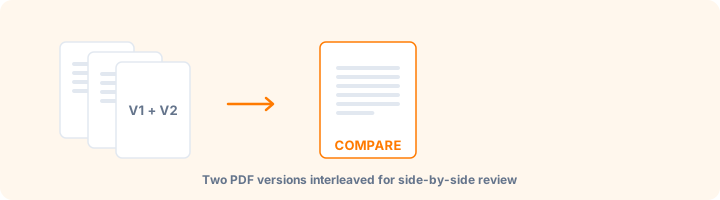
What this comparison gives you
The two documents are interleaved page by page - version 1 page 1, version 2 page 1, version 1 page 2, and so on - so corresponding pages sit next to each other as you scroll. Reviewing a contract revision this way is considerably faster than switching between two windows.
Be clear about what this is: a side-by-side arrangement for human review, not an automatic difference detector. It does not highlight changed words or mark inserted paragraphs. You are doing the comparing; the tool is removing the friction of holding two documents at once.
When page counts differ
If one version is longer, the extra pages are appended after the interleaved pairs. A paragraph inserted early in a contract shifts everything after it, so pairs beyond that point will no longer correspond - which is itself a useful signal that content was added rather than merely edited.
Getting a reliable review
Compare documents generated the same way where possible. A Word export against a scan of a printed copy will differ on every page for reasons that have nothing to do with the text.
For contracts, pay closest attention to numbers, dates, defined terms and anything in a schedule or annex. Those are where consequential changes hide, and they are easy to skim past when the surrounding paragraph looks familiar.
Frequently asked questions
How does the comparison work?
The two files are combined page by page: page 1 of the original, then page 1 of the revised version, then page 2 of each, and so on. Flicking between each pair makes changed wording, numbers and layouts easy to spot. It does not highlight individual word changes automatically.
Why compare PDFs side by side?
Comparing versions ensures no sneaky contract edits or formatting errors were introduced in revision drafts.
Is this tool free?
Yes. Every tool on WorkSathi is free to use with no sign up, no watermark on your result and no daily limit.
What happens to my files?
Files are uploaded over an encrypted connection, processed, and then deleted automatically within one hour. We never open, share or sell your documents.
Does it work on a phone?
Yes. The tools work in any modern browser on Windows, Mac, Android and iOS - there is nothing to install.
Related PDF tools
Combine invoices, reports, and receipts in custom order.
Split PDF by custom page range (1-5, 8, 11) or every N pages.
Flatten interactive form fields, annotations, and signatures into uneditable PDF pages.