PNG to PDF Converter
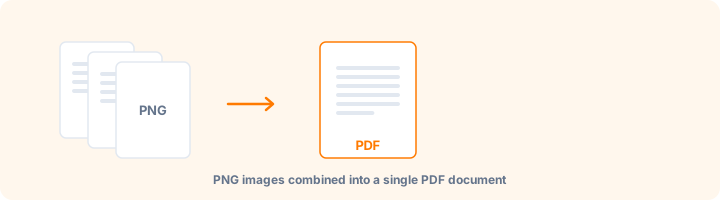
Convert PNG images to PDF, with background transparency controls.
Drop PNG images here
or
PNG images supported
How to use PNG to PDF
- 1Add your PNG filesDrop them in or tap Select Images. Add more at any time with + Add Files.
- 2Decide about transparencyA white background is best for printing. Keep transparent leaves see-through areas untouched.
- 3Set the pageChoose A4, Letter or Original, then a margin if you want a border.
- 4ConvertPress Convert to PDF and download the result.
Your files are processed over an encrypted connection and deleted automatically within one hour. Nothing is shared with anyone.
PNG to PDF: what to know before you start
Deciding what happens to transparency
PNG supports transparent pixels; PDF pages are opaque sheets. Something has to fill those areas, and the choice matters more than it looks.
White background is right for anything printed - transparent areas become white paper, which is what a printer produces anyway. Keep transparent preserves the alpha channel, which matters when the PDF will be placed over something else. Custom colour is useful for a logo that needs to sit on a brand background.
Why PNG rather than JPG
PNG is lossless, so screenshots, diagrams, charts and anything with sharp text edges stay crisp. JPEG compression introduces visible artefacts around high-contrast edges, which is exactly where text lives.
The trade-off is size: a photograph as PNG can be several times larger than the same image as JPEG, with no visible benefit. Use PNG for graphics, JPG for photographs.
Mixing formats
This tool accepts PNG only, so the file picker filters cleanly. To combine PNG with JPG, HEIC or WebP in one document, use the Image to PDF tool instead - it takes every common format at once and applies the same page settings across all of them.
Frequently asked questions
What happens to transparent parts of my PNG?
By default they are filled with white so the page prints cleanly. Choose Keep transparent to leave them as they are, or pick any custom colour.
Can I mix PNG and JPG?
Use the Image to PDF tool - it accepts every common image format in one go.
Is there a limit on how many PNGs I can add?
You can convert up to 100 images in a single PDF.
Is this tool free?
Yes. Every tool on WorkSathi is free to use with no sign up, no watermark on your result and no daily limit.
What happens to my files?
Files are uploaded over an encrypted connection, processed, and then deleted automatically within one hour. We never open, share or sell your documents.
Does it work on a phone?
Yes. The tools work in any modern browser on Windows, Mac, Android and iOS - there is nothing to install.
Related PDF tools
Combine passport photos, Aadhaar images, and receipts into one PDF.
Combine JPG, PNG, WebP, HEIC, GIF, and TIFF images in one PDF.
Convert website WebP images into a printable PDF file.
Export PDF pages as crisp, lossless 300 DPI PNG images.