Compress Image to 50KB - Reduce Photo Size Under 50 KB
Get a passport-style photo between 20 and 50 KB - the range most exam and job forms ask for.
Choose your form's requirement
The image keeps its shape. It is made smaller only if that is needed to reach the size limit.
Drop your photo here
JPG, PNG, WebP or HEIC. It stays on your device - nothing is uploaded.
How to use Compress Image to 50KB
- 1Choose 20-50 KBThis is the photo range used by SSC, IBPS and many state recruitment portals. Pick Under 50 KB if your form has no minimum.
- 2Add your photoA recent photo with a plain light background works best.
- 3Crop to head and shouldersForms reject photos where the face is too small. Keep the face in the middle and most of the box.
- 4Create and downloadYou see the final KB and pixel size before downloading.
Your files are processed over an encrypted connection and deleted automatically within one hour. Nothing is shared with anyone.
Compress Image to 50KB: what to know before you start
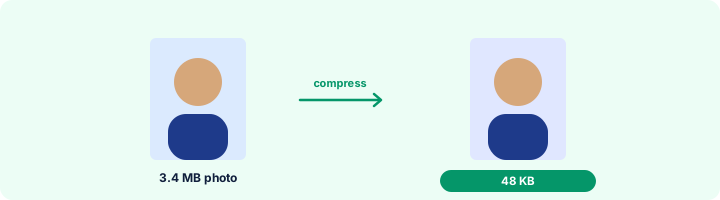
Photo checklist before you upload
Recent photo, plain white or light background, face centred and straight, both ears visible, no cap or dark glasses, JPG format, and the size inside the range. Most rejections at the portal are the last two - which this page checks for you.
Frequently asked questions
How do I reduce photo size to 50 KB on mobile?
Open this page on your phone, choose 20-50 KB, tap Select photo, crop and tap Create photo. The JPG saves to your downloads.
What pixel size should a 50 KB photo be?
Use what your form says - for example 200 x 230 pixels for IBPS. If it gives no pixel size, leave Width and Height empty and the photo keeps its shape.
Why is my 50 KB photo blurry?
Usually because a very large photo was squeezed into 50 KB. Cropping to head and shoulders, or setting the pixel size the form asks for, leaves more KB for the detail that matters.
Is this tool free?
Yes. Every tool on WorkSathi is free to use with no sign up, no watermark on your result and no daily limit.
What happens to my files?
Files are uploaded over an encrypted connection, processed, and then deleted automatically within one hour. We never open, share or sell your documents.
Does it work on a phone?
Yes. The tools work in any modern browser on Windows, Mac, Android and iOS - there is nothing to install.
Related PDF tools
Print your name and the date the photo was taken under the picture, as SSC and some state forms require.
Crop and resize your signature to the pixels and KB your form asks for: 140 x 60 px, 6 x 2 cm, 10-20 KB.
Bring a photo or signature down to 20 KB or less, the limit most forms set for signatures.
Type the width and height in pixels from your form and crop the photo to exactly that size.