IBPS Photo and Signature Resize - Photo, Sign, Thumb and Declaration
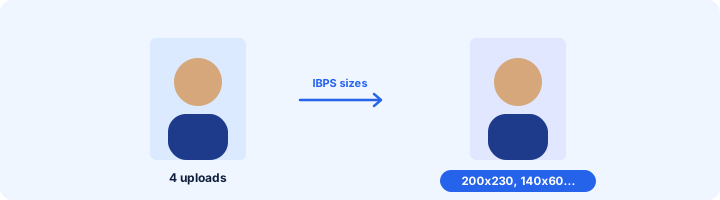
All four bank-exam uploads at the right size: photo 200 x 230, signature 140 x 60, thumb 240 x 240, declaration 800 x 400.
Choose your form's requirement
Output: 200 x 230 pixels. Requirements change between notifications - match the numbers in yours.
Drop your image here
JPG, PNG, WebP or HEIC. It stays on your device - nothing is uploaded.
How to use IBPS Photo, Signature & Thumb Resizer
- 1Pick the uploadPhoto, signature, left thumb impression or handwritten declaration.
- 2Add the scan or photoThumb impression in blue or black ink on white paper; declaration in English, in your own handwriting.
- 3CropThe box takes the required shape for each.
- 4Download and repeatDo all four, then upload them one by one on the IBPS portal.
Your files are processed over an encrypted connection and deleted automatically within one hour. Nothing is shared with anyone.
IBPS Photo, Signature & Thumb Resizer: what to know before you start
The declaration text
IBPS gives the exact declaration wording in the notification. Copy it word for word in your own handwriting - not typed, not in capitals. A mismatch can cancel the application later.
Frequently asked questions
What are the IBPS photo and signature sizes?
Photo 200 x 230 pixels, 20-50 KB. Signature 140 x 60 pixels, 10-20 KB. Left thumb 240 x 240 pixels, 20-50 KB. Handwritten declaration 800 x 400 pixels, 50-100 KB. SBI uses the same in most recruitments.
My declaration scan is unreadable at 100 KB.
Write larger and darker, photograph it in daylight and crop to the text. 800 x 400 pixels at 100 KB is plenty for clear handwriting.
Can a cyber cafe do all four for a candidate quickly?
Yes - switch the preset and change the image; each file takes a few seconds and nothing is uploaded to us.
Is this tool free?
Yes. Every tool on WorkSathi is free to use with no sign up, no watermark on your result and no daily limit.
What happens to my files?
Files are uploaded over an encrypted connection, processed, and then deleted automatically within one hour. We never open, share or sell your documents.
Does it work on a phone?
Yes. The tools work in any modern browser on Windows, Mac, Android and iOS - there is nothing to install.
Related PDF tools
Crop and resize your signature to the pixels and KB your form asks for: 140 x 60 px, 6 x 2 cm, 10-20 KB.
Type the width and height in pixels from your form and crop the photo to exactly that size.
Your exact age on any date - the "age as on" date in an exam notification - with an age-limit check.
Shrink a PDF down to 100 KB or less for passport, SSC & exam portal uploads.