Increase Image Size in KB - Make a Photo Bigger Than 10, 20 or 50 KB
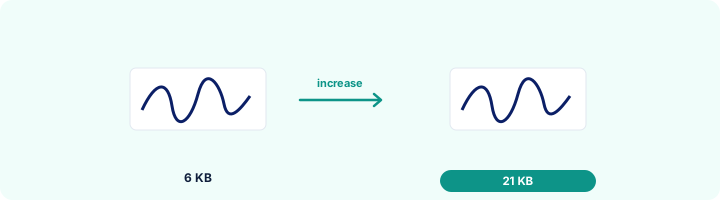
When the form says "minimum 20 KB" and your photo is smaller, raise the file size without changing the picture.
Choose your form's requirement
The image keeps its shape. It is made smaller only if that is needed to reach the size limit.
Drop your image here
JPG, PNG, WebP or HEIC. It stays on your device - nothing is uploaded.
How to use Increase Image Size in KB
- 1Choose the minimum your form asks forFor example "Signature: 10 KB to 20 KB" means at least 10 KB.
- 2Add the imageUsually a small signature or a photo that has already been compressed too far.
- 3CreateThe image is saved at the highest quality first. If it is still under the minimum, the file is filled up to it.
- 4Check and downloadThe result shows the new size, always inside your range.
Your files are processed over an encrypted connection and deleted automatically within one hour. Nothing is shared with anyone.
Increase Image Size in KB: what to know before you start
Why forms set a minimum size
A very small file usually means a tiny or heavily compressed picture, which is hard to verify. Portals set a minimum to catch those. If your original photo is good, raising the KB here is enough; if the original was a screenshot of a screenshot, retake the photo.
Frequently asked questions
How do I increase a photo from 8 KB to 20 KB?
Choose At least 20 KB, add the photo and press Create image. The file comes out just over 20 KB and the picture looks exactly the same.
Does increasing the KB improve quality?
No - nothing can add detail that was not captured. It only makes the file large enough to pass the check. If the picture itself is too small or blurred, start again from the original photo.
Will the portal detect anything strange?
No. The extra bytes go into a standard comment block inside the JPG, which every viewer and portal ignores. The image opens normally everywhere.
Is this tool free?
Yes. Every tool on WorkSathi is free to use with no sign up, no watermark on your result and no daily limit.
What happens to my files?
Files are uploaded over an encrypted connection, processed, and then deleted automatically within one hour. We never open, share or sell your documents.
Does it work on a phone?
Yes. The tools work in any modern browser on Windows, Mac, Android and iOS - there is nothing to install.
Related PDF tools
Bring a photo or signature down to 20 KB or less, the limit most forms set for signatures.
Crop and resize your signature to the pixels and KB your form asks for: 140 x 60 px, 6 x 2 cm, 10-20 KB.
Set the minimum and maximum KB your form allows and get a photo that fits - 20 KB, 50 KB, 100 KB or any number.
Set the DPI of a JPG to 200, 300 or any value without changing how the picture looks.