Aadhaar Card Print - Front and Back on One A4 Page
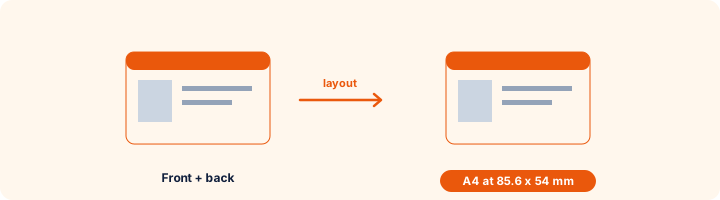
Put the front and back of an Aadhaar, PAN, voter ID or any ID card on one A4 page at real card size, ready to print and cut.
Front side
Back side
Cards are placed at real size, 85.6 x 54 mm. Print at "Actual size" or 100% - not "Fit to page" - or the card comes out larger.
WorkSathi is not connected with UIDAI or any government department. The card images stay on your device.
How to use Aadhaar Card Print (Front & Back)
- 1Add the frontA photo or scan of the card. From e-Aadhaar, take a screenshot of the card part or use PDF to JPG first.
- 2Add the backOptional. Leave it empty to print one side.
- 3Crop each sideThe box has the exact card shape - line it up with the card edges.
- 4Create the PDF and printPrint at 100% or "Actual size". Cut along the light outline and laminate.
Your files are processed over an encrypted connection and deleted automatically within one hour. Nothing is shared with anyone.
Aadhaar Card Print (Front & Back): what to know before you start
For CSC and cyber cafe operators
Customers usually bring the e-Aadhaar on their phone. Ask them to send the PDF, unlock it, convert the card page to JPG, and crop both sides here. The PDF is made on your computer, so the customer's Aadhaar is not sent to any website.
Frequently asked questions
How do I print Aadhaar front and back on one page?
Add both sides, crop each to the card edges, choose Front above back and press Create print PDF. Print the PDF at actual size.
Why does the printed card come out bigger than a real card?
The printer was set to "Fit to page". Choose "Actual size" or 100% scaling and the card prints at 85.6 x 54 mm.
Can I print several cards on one sheet?
Yes - up to 4 single-sided cards or 2 front-and-back pairs per A4 page with the Copies option, which saves paper at a busy counter.
My e-Aadhaar PDF is password protected.
The password is the first four letters of your name in capitals followed by your year of birth. Open it with Unlock PDF, then PDF to JPG, then use the image here.
Is this tool free?
Yes. Every tool on WorkSathi is free to use with no sign up, no watermark on your result and no daily limit.
What happens to my files?
Files are uploaded over an encrypted connection, processed, and then deleted automatically within one hour. We never open, share or sell your documents.
Does it work on a phone?
Yes. The tools work in any modern browser on Windows, Mac, Android and iOS - there is nothing to install.
Related PDF tools
Remove owner passwords and printing restrictions from your PDF files.
Export PDF pages as high-resolution JPG images.
Combine passport photos, Aadhaar images, and receipts into one PDF.
For certificates, marksheets and document photos that must be under 100 KB.