Resize Image in CM - Passport Size Photo 3.5 x 4.5 cm
Set the size in centimetres - passport 3.5 x 4.5 cm, signature 6 x 2 cm - with the DPI your form or printer needs.
Choose your form's requirement
Output: 413 x 531 pixels (3.5 x 4.5 cm at 300 DPI). Requirements change between notifications - match the numbers in yours.
Drop your photo here
JPG, PNG, WebP or HEIC. It stays on your device - nothing is uploaded.
How to use Resize Image in CM
- 1Enter width and height in cmPassport photos in India are 3.5 cm wide and 4.5 cm tall.
- 2Pick the DPIUse the DPI the form mentions. For printing, 300 DPI is standard; for uploads 200 DPI keeps the file small.
- 3Add and crop the photoThe box has the passport shape. Keep the face centred with a little space above the head.
- 4DownloadThe JPG carries the DPI, so it prints at exactly the size you set.
Your files are processed over an encrypted connection and deleted automatically within one hour. Nothing is shared with anyone.
Resize Image in CM: what to know before you start
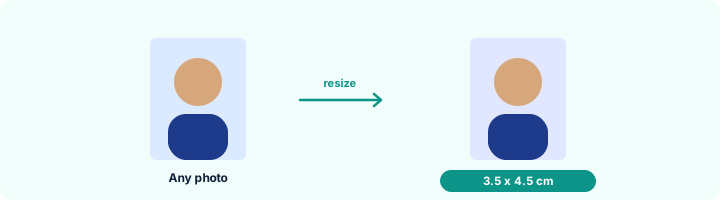
Centimetres need a DPI
A digital image has pixels, not centimetres. The DPI (dots per inch) links the two: the same 413 x 531 pixel photo is 3.5 x 4.5 cm at 300 DPI but 7 x 9 cm at 150 DPI. That is why the DPI is stored inside the file here.
Frequently asked questions
How many pixels is 3.5 x 4.5 cm?
It depends on the DPI: 276 x 354 pixels at 200 DPI, 413 x 531 pixels at 300 DPI. The tool shows the pixel size for whatever you enter.
How do I print passport photos at the right size?
Create the photo here at 300 DPI, then print at "Actual size" or 100%. To fit several on one sheet, use JPG to PDF with the A4 page and print that.
My form gives cm and KB. Can I set both?
Yes - enter the centimetres, the DPI and the KB range; the result meets all of them.
Is this tool free?
Yes. Every tool on WorkSathi is free to use with no sign up, no watermark on your result and no daily limit.
What happens to my files?
Files are uploaded over an encrypted connection, processed, and then deleted automatically within one hour. We never open, share or sell your documents.
Does it work on a phone?
Yes. The tools work in any modern browser on Windows, Mac, Android and iOS - there is nothing to install.
Related PDF tools
Govt Exam & Passport Photo Resizer
Resize photos & signatures to exact CM (3.5 x 4.5 cm) and KB sizes for SSC, UPSC & Passport forms.
Set the DPI of a JPG to 200, 300 or any value without changing how the picture looks.
Type the width and height in pixels from your form and crop the photo to exactly that size.
Print your name and the date the photo was taken under the picture, as SSC and some state forms require.