Resize Image in Pixels - Photo to 200 x 230, 140 x 60 and More
Type the width and height in pixels from your form and crop the photo to exactly that size.
Choose your form's requirement
Output: 200 x 230 pixels. Requirements change between notifications - match the numbers in yours.
Drop your image here
JPG, PNG, WebP or HEIC. It stays on your device - nothing is uploaded.
How to use Resize Image in Pixels
- 1Enter width and heightOr pick a common size. Width comes first: 200 x 230 means 200 wide and 230 tall.
- 2Add the photoThe crop box takes the shape of the size you entered, so nothing gets stretched.
- 3Position the cropDrag the box over the face or the signature, and drag a corner to include more or less.
- 4Create and downloadThe JPG is exactly the size you asked for, inside the KB range if you set one.
Your files are processed over an encrypted connection and deleted automatically within one hour. Nothing is shared with anyone.
Resize Image in Pixels: what to know before you start
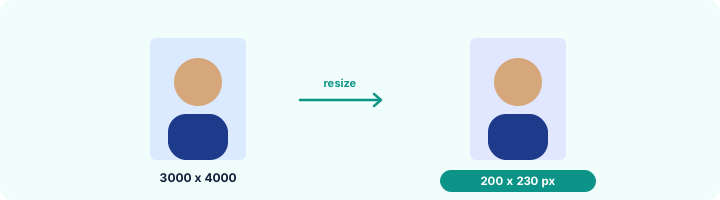
Common pixel sizes on Indian forms
Bank exams (IBPS, SBI): photo 200 x 230, signature 140 x 60, thumb 240 x 240, declaration 800 x 400. These have been stable for years, but always confirm in the notification you are applying for.
Frequently asked questions
How do I resize a photo to 200 x 230 pixels?
Choose the IBPS photo size or type 200 and 230, add the photo, place the crop box on the face and press Create image.
Why does my resized photo look stretched in other apps?
Those apps change the shape to force the size. Here the crop box always has the target shape, so the face keeps its proportions.
What is the difference between pixels and KB?
Pixels are the dimensions of the picture, KB is the size of the file. Forms often ask for both - set the KB range below the size and both are met.
Is this tool free?
Yes. Every tool on WorkSathi is free to use with no sign up, no watermark on your result and no daily limit.
What happens to my files?
Files are uploaded over an encrypted connection, processed, and then deleted automatically within one hour. We never open, share or sell your documents.
Does it work on a phone?
Yes. The tools work in any modern browser on Windows, Mac, Android and iOS - there is nothing to install.
Related PDF tools
Set the size in centimetres - passport 3.5 x 4.5 cm, signature 6 x 2 cm - with the DPI your form or printer needs.
Set the minimum and maximum KB your form allows and get a photo that fits - 20 KB, 50 KB, 100 KB or any number.
Crop and resize your signature to the pixels and KB your form asks for: 140 x 60 px, 6 x 2 cm, 10-20 KB.
IBPS Photo, Signature & Thumb Resizer
All four bank-exam uploads at the right size: photo 200 x 230, signature 140 x 60, thumb 240 x 240, declaration 800 x 400.