UPSC Photo Resize - Photo and Signature for UPSC OTR
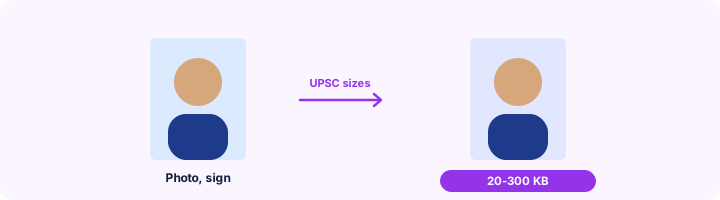
Photo and signature for the UPSC One Time Registration: each 20-300 KB and 350-1000 pixels on each side.
Choose your form's requirement
Output: 350 x 450 pixels. Requirements change between notifications - match the numbers in yours.
Drop your photo here
JPG, PNG, WebP or HEIC. It stays on your device - nothing is uploaded.
How to use UPSC Photo and Signature Resizer
- 1Choose photo or signatureUPSC accepts any size from 350 to 1000 pixels per side; the presets sit inside that range.
- 2Add the imageA photo not older than the period UPSC allows, or your signature in black ink.
- 3CropFace filling most of the frame; signature with a small margin.
- 4DownloadReady for OTR and the exam-specific form.
Your files are processed over an encrypted connection and deleted automatically within one hour. Nothing is shared with anyone.
UPSC Photo and Signature Resizer: what to know before you start
Keep a copy
UPSC compares your photo at every stage, from the admit card to the interview. Keep the exact file you uploaded and several prints of the same photo.
Frequently asked questions
What is the photo size for UPSC?
Recent UPSC notices: JPG, 20-300 KB, with width and height each between 350 and 1000 pixels. The signature: 20-100 KB, same pixel range. Check the current notice.
Does UPSC need the name and date on the photo?
UPSC has asked candidates to keep the photo recent and to use the same one at every stage. Follow the notice for your exam; Photo with Name and Date is there if it is needed.
Is this tool free?
Yes. Every tool on WorkSathi is free to use with no sign up, no watermark on your result and no daily limit.
What happens to my files?
Files are uploaded over an encrypted connection, processed, and then deleted automatically within one hour. We never open, share or sell your documents.
Does it work on a phone?
Yes. The tools work in any modern browser on Windows, Mac, Android and iOS - there is nothing to install.
Related PDF tools
Crop and resize your signature to the pixels and KB your form asks for: 140 x 60 px, 6 x 2 cm, 10-20 KB.
Your exact age on any date - the "age as on" date in an exam notification - with an age-limit check.
Print your name and the date the photo was taken under the picture, as SSC and some state forms require.
Shrink a PDF down to 100 KB or less for passport, SSC & exam portal uploads.