Change Image DPI - Convert Photo to 200 or 300 DPI
Set the DPI of a JPG to 200, 300 or any value without changing how the picture looks.
Choose your form's requirement
The image keeps its shape. It is made smaller only if that is needed to reach the size limit.
Drop your image here
JPG, PNG, WebP or HEIC. It stays on your device - nothing is uploaded.
How to use Change Image DPI
- 1Choose the DPIThe form or print shop will say which: 200 and 300 are the usual ones.
- 2Add the imageJPG, PNG or a phone photo; the result is saved as JPG.
- 3CreateThe DPI value is written into the file. The pixels stay the same unless you also set a KB limit.
- 4DownloadCheck the DPI in the result, or in Windows under Properties > Details.
Your files are processed over an encrypted connection and deleted automatically within one hour. Nothing is shared with anyone.
Change Image DPI: what to know before you start
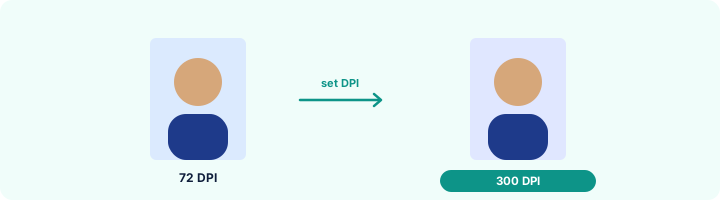
DPI in one sentence
DPI decides the printed size: pixels divided by DPI gives inches. A 600-pixel-wide photo is 2 inches wide at 300 DPI and 3 inches at 200 DPI - same file, same look on screen.
Frequently asked questions
How do I change a photo to 300 DPI?
Select 300 DPI, add the photo and press Create image. The downloaded JPG reports 300 DPI in Windows, Mac and every image editor.
Does changing DPI make the photo sharper?
No. DPI only says how large the photo should print. The detail comes from the pixels, which stay the same. For a sharper print, start from a larger original.
Why does my form ask for a DPI at all?
So that the photo prints at the right size on the admit card or ID. If you also need a size in cm, use Resize Image in CM, which sets both.
Is this tool free?
Yes. Every tool on WorkSathi is free to use with no sign up, no watermark on your result and no daily limit.
What happens to my files?
Files are uploaded over an encrypted connection, processed, and then deleted automatically within one hour. We never open, share or sell your documents.
Does it work on a phone?
Yes. The tools work in any modern browser on Windows, Mac, Android and iOS - there is nothing to install.
Related PDF tools
Set the size in centimetres - passport 3.5 x 4.5 cm, signature 6 x 2 cm - with the DPI your form or printer needs.
Type the width and height in pixels from your form and crop the photo to exactly that size.
Set the minimum and maximum KB your form allows and get a photo that fits - 20 KB, 50 KB, 100 KB or any number.
When the form says "minimum 20 KB" and your photo is smaller, raise the file size without changing the picture.